1. Introduction: The Evolution of the Mini PC Market
A few years ago, we witnessed what many called the “Golden Age of Mini PCs.” High-performance, low-cost chips like the Intel N100 made it possible to own a functional computer for the price of a few video games. However, as we move through 2026, the landscape has shifted. With the recent global surge in DDR5 RAM and NVMe SSD prices, the “ultra-budget” appeal of these machines has slightly diminished.
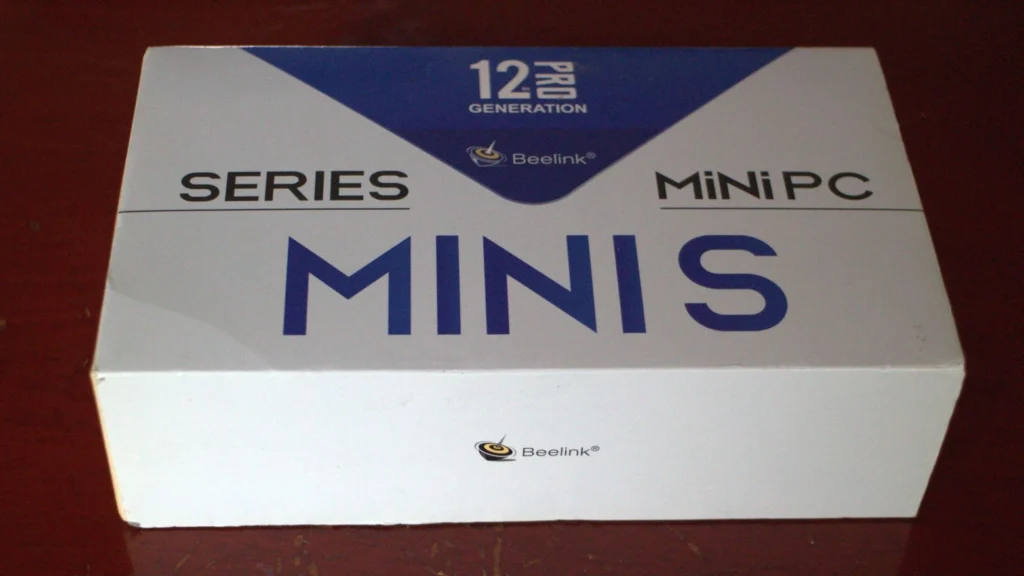
Despite these economic changes, the Intel N100 remains a dominant force in the entry-level market. After a year of pushing the Beelink S12 Pro (16GB RAM / 512GB SSD) to its limits, I’ve gathered enough data to answer the burning question: Is it still a smart buy today? The short answer is yes—but only if you understand its “Hard Ceiling.”
2. The Windows 11 & WSL Reality Check: Where the Lag Begins
While the N100 handled Windows 10 like a champ, Windows 11 introduces a heavier background load that taxes these four efficiency cores. My primary setup involved a “Vibe Coding” environment using WSL (Windows Subsystem for Linux) and OpenClaw (an AI agent framework).
- The Bottleneck: The primary issue isn’t just raw clock speed; it’s the I/O Wait times. When running automation scripts that require constant disk access and network polling, the N100 often stutters.
- The Experience: If you are a developer looking for a snappy, instantaneous response while compiling code or running local AI inference, the N100 will test your patience. The transition between heavy Chrome tabs and a WSL terminal often feels sluggish compared to higher-tier processors like the Core Ultra series.
3. 4 Crucial Real-World Warnings (Read Before You Buy)
① High-Frequency Automation = Patience Required
Even with 16GB of RAM, the 4-core/4-thread architecture of the N100 is a significant limiting factor. When my OpenClaw agents were processing multiple tasks simultaneously, I noticed a distinct lag in UI responsiveness. If your workflow depends on heavy multi-tasking, consider this a “yellow light” warning.
② The Noise Factor: DIY Solutions for a Silent Lab
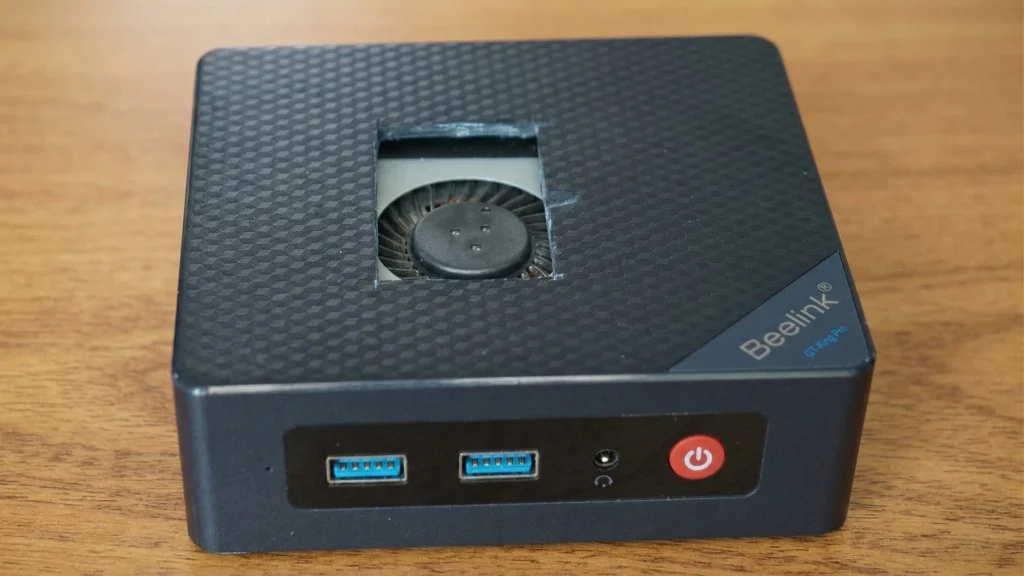
The Beelink S12 Pro is compact, but its cooling solution is aggressive. Under heavy load, the small fan emits a high-pitched whine that can be distracting in a quiet room. I took a drastic step and used a mini grinder to mod the top casing, creating custom ventilation holes. This DIY thermal mod significantly improved airflow and allowed the fan to run at lower RPMs, making it suitable for 24/7 bedside operation.
③ Graphics and AI Limitations
Don’t be fooled by 4K labels. While the N100 can play 4K video flawlessly thanks to AV1 decoding, it cannot create it. Video editing in Premiere Pro or running local LLMs (Large Language Models) is painfully slow. This chip is designed for consumption, not heavy creation.
④ The Ultimate “Always-On” Companion
Where the N100 truly wins is as a Headless Server. I frequently accessed my S12 Pro via tablet and smartphone while traveling. As a low-power remote access node, it is nearly perfect. It consumes very little electricity (6W-15W TDP) while providing a full Windows/Linux environment that’s always ready for light tasks.
4. 2026 Alternatives: When to Spend a Little More
If you find the N100’s limitations a dealbreaker, the 2026 market offers two compelling “step-up” options that provide a much smoother Windows 11 experience.
| Metric | Intel N100 | Steam Deck (LCD) | Intel i3-N305 |
| Geekbench 6 (Single) | ~900 | 1,223 (+35%) | 1,362 (+51%) |
| Geekbench 6 (Multi) | ~2,600 | 4,180 (+60%) | 4,815 (+85%) |
| US Market Price | $150 – $180 | $250 – $350 (Used) | $320 – $390 |
- Steam Deck LCD: In the US, used Steam Decks are plentiful on eBay. When docked, the Steam Deck’s APU significantly outperforms the N100 in multi-core tasks. Plus, you get a world-class handheld gaming device as a bonus.
- i3-N305 Mini PC: This is the “true” successor. With 8 cores instead of 4, it handles Windows 11 multitasking and WSL background processes without the “stutter” found in the N100. It is the sweet spot for a budget-friendly main PC.
5. Final Verdict: Defining the “Red Line”
The satisfaction you get from an N100 Mini PC in 2026 depends entirely on where you draw the line.
- The “Green Zone”: Home Theater PC (HTPC), Home Assistant server, light office work (Word/Excel), and 24/7 remote access. In these roles, the N100 is a masterpiece of efficiency.
- The “Red Zone”: Main development machine for modern AI tools, heavy video editing, or high-intensity automation. If you try to push it here, you’ll likely regret not spending the extra $150 for an N305.
In 2026, the N100 isn’t about how much it can do—it’s about how smartly you deploy it within your digital ecosystem.